
What Is a VPN — And Do You Actually Need One?
If you watch videos, listen to podcasts, or spend any time online, you have seen the ads: a VPN will make you invisible, protect you from hackers, and unlock the whole internet — usually at a huge discount if you act right now. VPNs are a real and useful tool, but almost everything in those ads is exaggerated.
This guide skips the sales pitch. It explains what a VPN actually does, where it genuinely helps, where it does nothing at all, and how to decide whether you need one — and if you do, how to choose one without overpaying.
What a VPN actually does
VPN stands for virtual private network. When you switch one on, your device builds an encrypted tunnel — a private, scrambled connection — to a server run by the VPN company. Your internet traffic travels through that tunnel instead of going straight out over whatever network you happen to be on.
That changes two things. First, the local network can no longer read your traffic. On coffee-shop Wi-Fi, a hotel network, or your connection at home, the operator sees scrambled data instead of the sites you visit. Second, websites see the VPN server instead of you. Every device online has an IP address that roughly reveals its location; connected through a VPN, the sites you visit see the server's IP address and location, which can be in a different city or country.
A useful way to picture it: browsing without encryption is like sending a postcard — anyone handling it along the way can read it. A VPN puts your traffic in a sealed envelope. The envelope still gets delivered, but its carriers cannot read what is inside.
What a VPN does NOT do
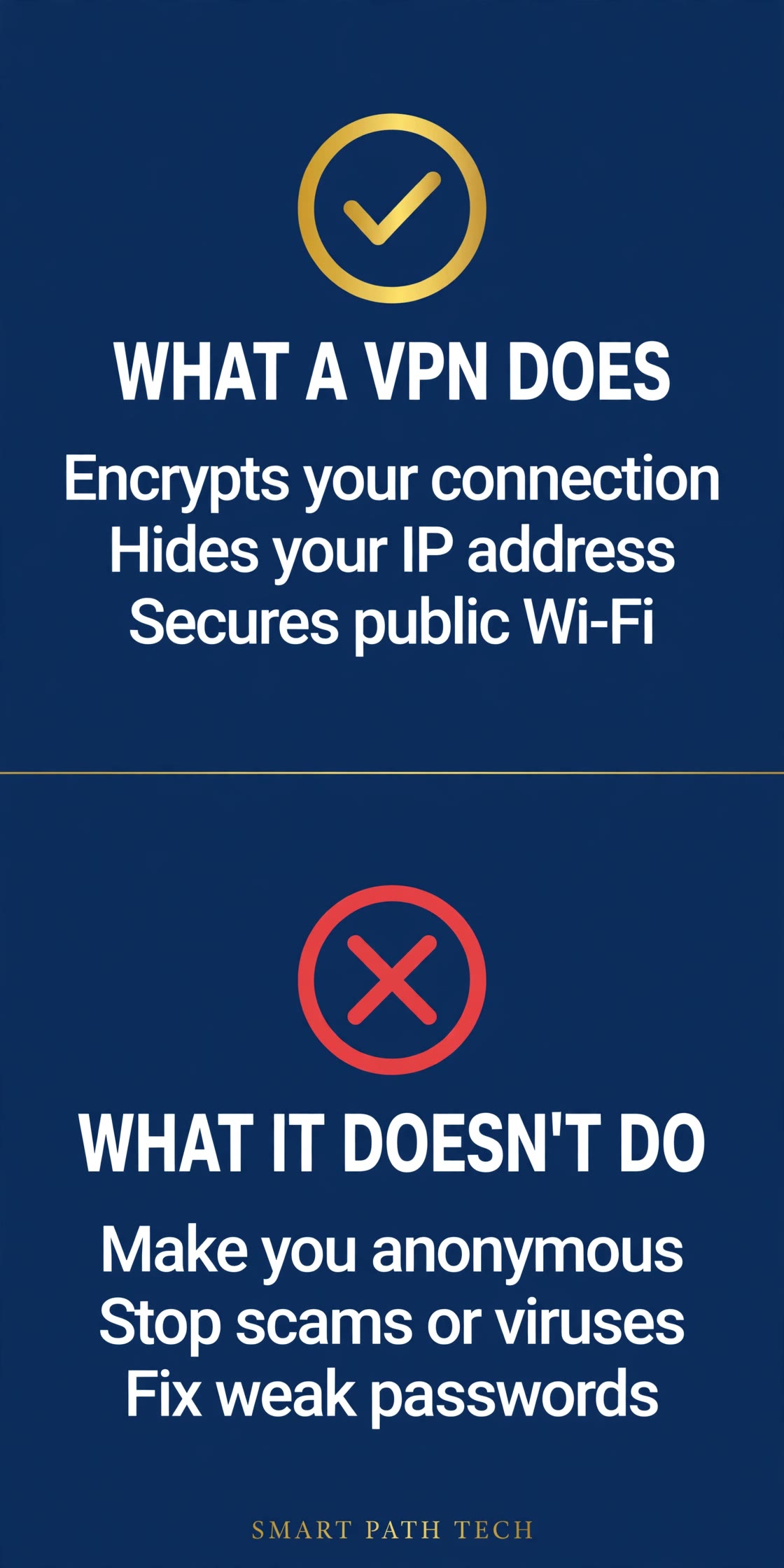
This is the part the ads leave out. A VPN is a narrow tool, and it does not do most of the things people buy it for:
- It does not make you anonymous. You are shifting trust, not eliminating it. Instead of your internet provider seeing your traffic, the VPN company can. And the moment you sign in to an account, that site knows exactly who you are, VPN or not.
- It does not stop phishing, malware, or scams. A fake bank page reached through a VPN is still a fake bank page, and a malicious download is still malicious — the tunnel just delivers it privately.
- It does not fix weak passwords. A reused password that leaks in a breach works against your account whether or not a VPN is running.
- It does not stop tracking on its own. Websites and advertisers follow you mainly through your accounts, cookies, and browser fingerprinting, none of which a VPN erases.
In other words, a VPN is one layer, not a shield. The habits that protect most people are more basic: unique passwords, multi-factor authentication, updates, and a pause before clicking. Our guide to 5 everyday steps to strengthen your digital security covers those habits — and they matter more than any VPN.
When a VPN genuinely helps
There are real situations where a VPN earns its keep:
- Public Wi-Fi. Airports, hotels, coffee shops, and conference venues run networks you do not control, shared with strangers and sometimes secured poorly or not at all. A VPN keeps your traffic scrambled on networks like those.
- Travel. Hotel networks vary wildly in quality. A VPN steadies the security side, and because your traffic exits in the location you choose, your usual services behave more like they do at home.
- Privacy from your internet provider. Without a VPN, your ISP can see which sites you connect to. A VPN reduces that visibility to one fact: this customer uses a VPN.
- Remote work on untrusted networks. If you handle work accounts or files from the road, a VPN adds a layer between you and networks you would never have chosen yourself.
If your weeks are spent in airports, hotels, and client sites, a reputable VPN service you can switch on with one tap is worth having on every device you travel with.
When you probably don't need one
Honesty cuts both ways. If you mostly browse at home on your own password-protected Wi-Fi, a VPN adds less than the ads suggest. Most modern websites already use HTTPS, which encrypts the content of your traffic between your browser and the site — for the parts that matter most, the postcard is already in an envelope.
A VPN also will not make your connection faster. Routing traffic through an extra server usually makes it slightly slower, and any service promising a speed boost is selling you something. And you should never buy one out of fear: if an ad's main argument is that hackers are seconds away, that is marketing, not advice. Plenty of careful people do not use a VPN at all, and they are not doing anything wrong.
How to choose one
If your situation matches the "genuinely helps" list, here is what to compare. The differences that matter are mostly invisible, so track record counts:
- A no-logs policy backed by independent audits. Every VPN promises not to record your activity, and you cannot verify that yourself. Look for providers that hire outside firms to audit those claims and publish the results, and that have a track record measured in years, not months.
- Modern protocols. WireGuard, or a provider's equivalent built on the same ideas, delivers noticeably better speed than older protocols. If a service only offers outdated options, skip it.
- A kill switch. If the VPN connection drops, the kill switch blocks your traffic until it reconnects, so you do not silently fall back to the open network mid-session.
- Enough simultaneous connections. Count your devices — phone, laptop, tablet, maybe a partner's phone — and make sure one account covers them all.
- Apps for everything you own. A VPN you cannot easily run on all your devices is one you will quietly stop using.
- Price traps. The headline discounts almost always require prepaying for two or three years. That can still be a fair deal, but it is a commitment: weigh the total cost, not the monthly number in the ad, and use any trial or money-back window to test it on your real networks.
- Free VPNs: be careful. Running servers worldwide costs real money. If you are not paying, your data, your attention, or your bandwidth is usually the product. The exception is a limited free tier from a well-known paid provider — expect tight data caps, but at least the business model is visible.
A sensible approach is to shortlist two or three well-known VPN services and compare them on audits, protocol support, and connection limits rather than on advertised discounts.
Free vs. paid, side by side:
| What to compare | Free VPN | Paid VPN |
|---|---|---|
| Cost | Free | Monthly or prepaid plan |
| Speed | Often slowed or capped | Full speed on modern protocols |
| Data limits | Common — daily or monthly caps | Unlimited on mainstream services |
| Privacy | Business model may rely on ads or data | No-logs policies, some independently audited |
| Server locations | A handful | Dozens of countries |
| Simultaneous devices | Usually 1 | Several — often 5 or more |
| Support | Minimal | 24/7 support on major services |
Researched pick — for most people
A mainstream paid VPN with an audited no-logs policy
We haven't tested VPNs hands-on, and we won't pretend otherwise. Based on published audits, protocol support, and owner feedback, the profile we'd shortlist first is a well-known paid service with an independently audited no-logs policy, WireGuard support, a kill switch, and apps for every device you own.
Pros
- Privacy backed by independent audits, not just promises
- Full speed — no data caps
- One account covers phone, laptop, and tablet
Cons
- Costs money — the real discounts lock you into long prepaid plans
- No VPN makes you anonymous; it is one layer, not a shield
- Takes a few minutes to set up on each device
Use the checklist above to compare any service against this profile before you buy.
The short version, in three panels:

The bottom line
For most people, a VPN is a situational tool, not a necessity. If you travel often or live on public Wi-Fi, a good one is worth having. If you are mostly at home, it is optional — and it should never come before the basics. Get your passwords, multi-factor authentication, and updates in order first, then add a VPN with your eyes open about what it can and cannot do. If you decide to buy, choose one mainstream VPN service that meets the checklist above, and set it to connect automatically on networks you don't recognize.
SmartPath Media guides are educational starting points, not professional security advice. VPN features, policies, and audit results change over time — check a provider's current documentation and published audits before subscribing. Some links on this page may be affiliate links; see our disclosure for how that works.
Drive Smarter. Think Smarter. Live Smarter.
← Return to SmartPath Media